Recently, I’ve been seeing a glut of dependabot security alerts for my Infinisheet project. I used to see a handful a month. At the start of this week, I was staring at twenty of them.
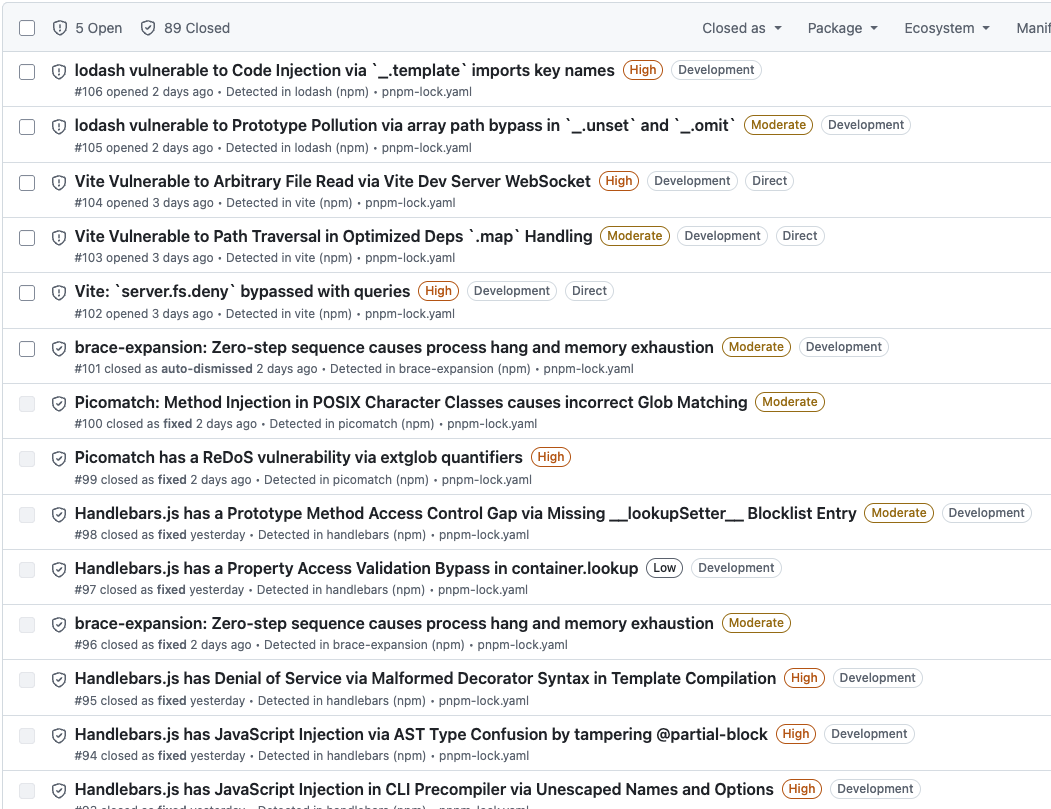
They’re all development dependencies and most of them are transitive dependencies of my development tooling. There’s no risk for consumers of my packages, so I wasn’t too concerned. I’m happy to wait for fixes to come out and be applied as part of my normal update cycle.
However, many of the alerts have been hanging around for weeks. What’s going on?
Automated Dependabot Updates
I set up dependabot to apply security updates immediately and minor updates weekly. Weekly minor updates are working well. Dependabot creates a PR and runs my automated tests against it. It takes me a couple of minutes a week to review and commit the PR.
I have a one week cooldown configured in pnpm before applying updates. Security updates tend to fail because dependabot tries to apply them before the cooldown expires. They end up rolling into the next weekly update.
This takes care of most security updates for my direct dependencies and any transitive dependencies which have their minimum acceptable version bumped.
Manual Updates
In some cases security updates require a major version upgrade. For example, jsdom needed an upgrade from 28.x to 29.x to bump the minimum version of its undici dependency to a fixed version.
Transitive Dependencies Inconsistently Updated
If you look at the detail of the stuck alerts, dependabot says that it can’t update the transitive dependency to a patched version because pnpm requires a lower version.
Things get awkward when you have a transitive dependency with a later version but the direct dependency that relies on it hasn’t been updated or hasn’t updated the minimum acceptable version. Sometimes, pnpm will update the transitive dependency anyway, other times it won’t.
For example,picomatch has a security issue fixed in version 4.0.4. For most dependents, pnpm has already updated picomatch to 4.0.4. However, for Vite it’s been left at 4.0.3.
vite 7.3.1
├─┬ fdir 6.5.0
│ └── picomatch 4.0.3 peer
├── picomatch 4.0.3
└─┬ tinyglobby 0.2.15
  ├─┬ fdir 6.5.0
  │ └── picomatch 4.0.4 peer
  └── picomatch 4.0.4
The Vite package.json specifies a dependency on picomatch ^4.0.3. There’s nothing stopping use of 4.0.4.
Weirdly, Vite also has a dependency on tinyglobby which has its own dependency on picomatch. In this case pnpm has updated to 4.0.4. The specified dependency is also ^4.0.3.
If I run pnpm update picomatch, pnpm says everything is up to date, no changes needed. Same thing when I try pnpm update picomatch@4.0.4.
Dependabot doesn’t know how to fix this either.
pnpm Overrides
The best fix I could find was to use pnpm’s overrides feature. This is normally used to forcibly change how a dependency is resolved without having to hack its package.json. In this case we use override to gently encourage pnpm to do an update it could already have done.
Overrides are applied in the pnpm-workspace.yaml file.
overrides:
  "vite>picomatch": 4.0.4
You can apply an override globally, to all uses of a package, or to a specific dependency relationship. Here, I’ve restricted the override to Vite’s use of picomatch.
% pnpm install
Packages: -2
This time pnpm-lock.yaml is updated and I can see that picomatch 4.0.3 is no longer used.
Gradually accumulating forced overrides in pnpm-workspace.yaml is a maintenance nightmare. Fortunately, you don’t have to. You can remove the override from pnpm-workspace.yaml. It was only needed to nudge pnpm to use the version it should have picked up anyway. Now that it’s found the correct version, it won’t downgrade to an earlier version.
% pnpm install
Already up to date
I used the same approach for minimatch and handlebars.
Conclusion
I’m back down to five recently opened security alerts. Turns out this one weird trick is all I needed.